
Amazon Buy Box vs Other Sellers: Choosing the Right Offer for Accurate Price Monitoring
July 28, 2026 · 5 min read
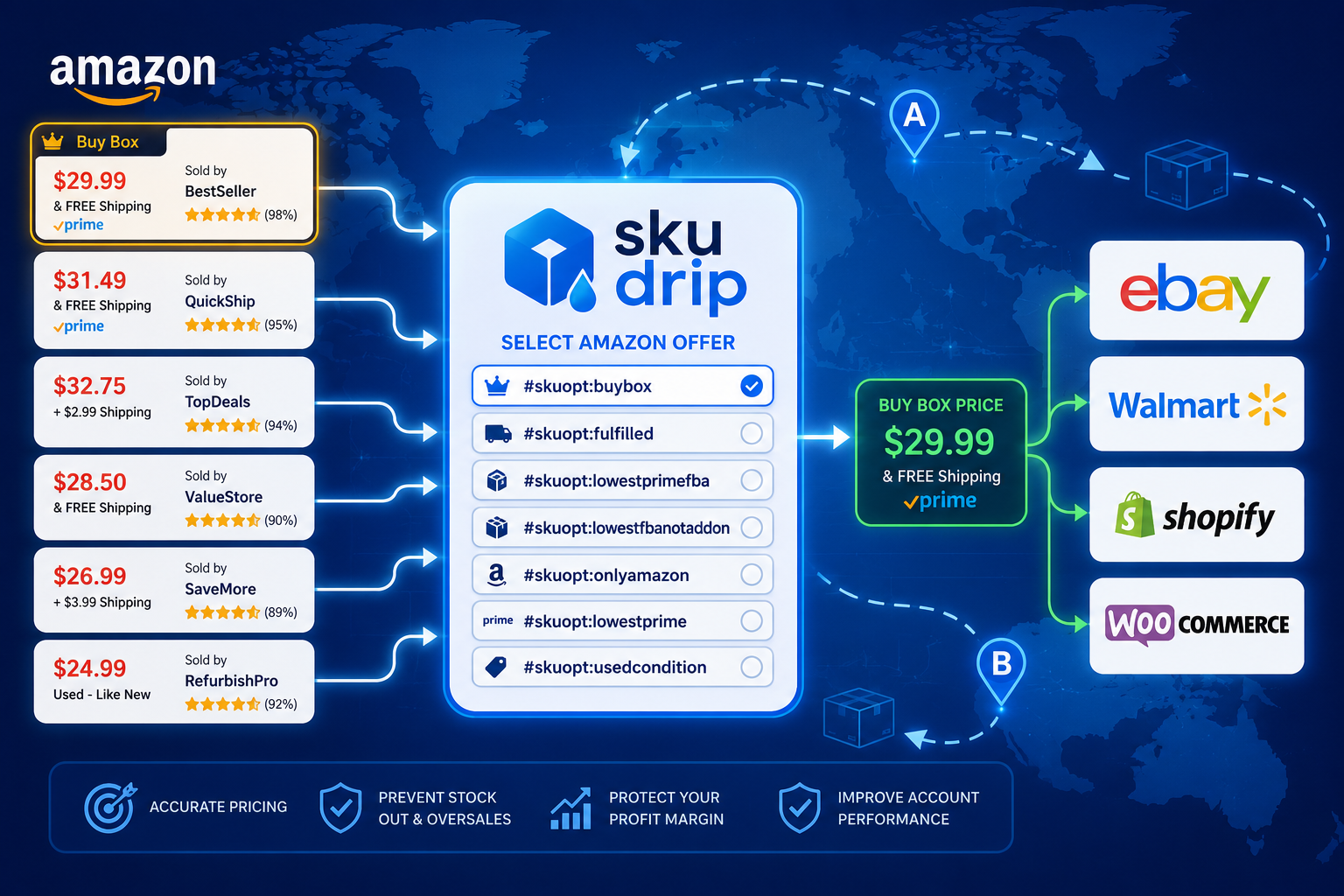
When selling products sourced from Amazon, one of the most important decisions is choosing which seller offer should be used for monitoring price and stock.
Many sellers assume that the Buy Box offer is always the correct one to use. While this is often true, it is not the best choice for every business model.
SKU DRIP allows you to automatically monitor exactly the Amazon offer that fits your requirements.
What Is the Amazon Buy Box?
On almost every Amazon product page, one seller is featured inside the Buy Box.
This is the offer Amazon considers to provide the best overall customer experience.
The majority of purchases are made directly through the Buy Box, making it one of the most valuable positions for Amazon sellers.
Amazon determines the Buy Box winner using many factors, including:
- Product price
- Delivery speed
- Seller rating
- Order defect rate
- Fulfillment method
- Inventory availability
- Customer service performance
Because of this, the Buy Box offer can change many times throughout the day.
There Are Often Many Other Seller Offers
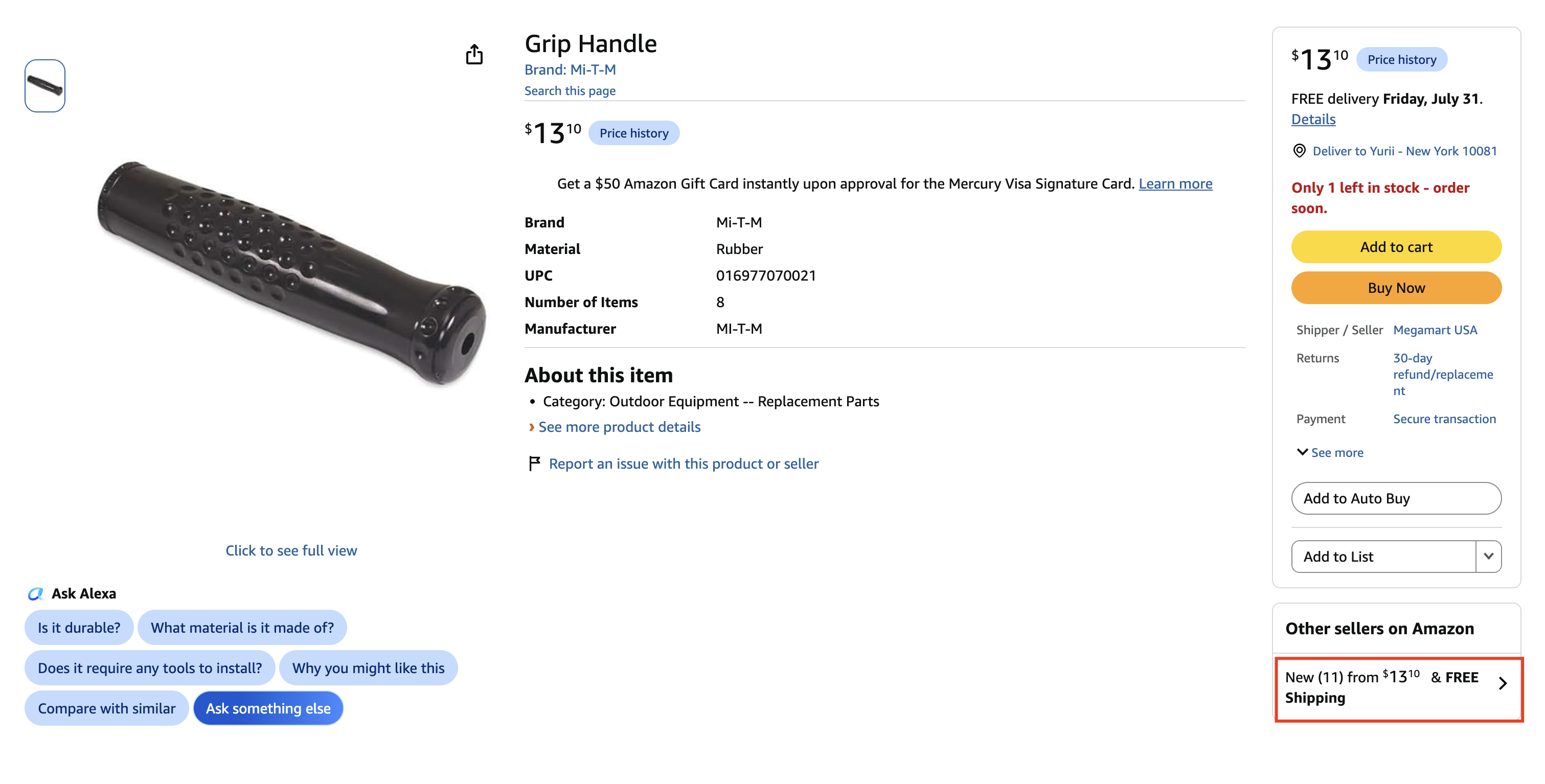
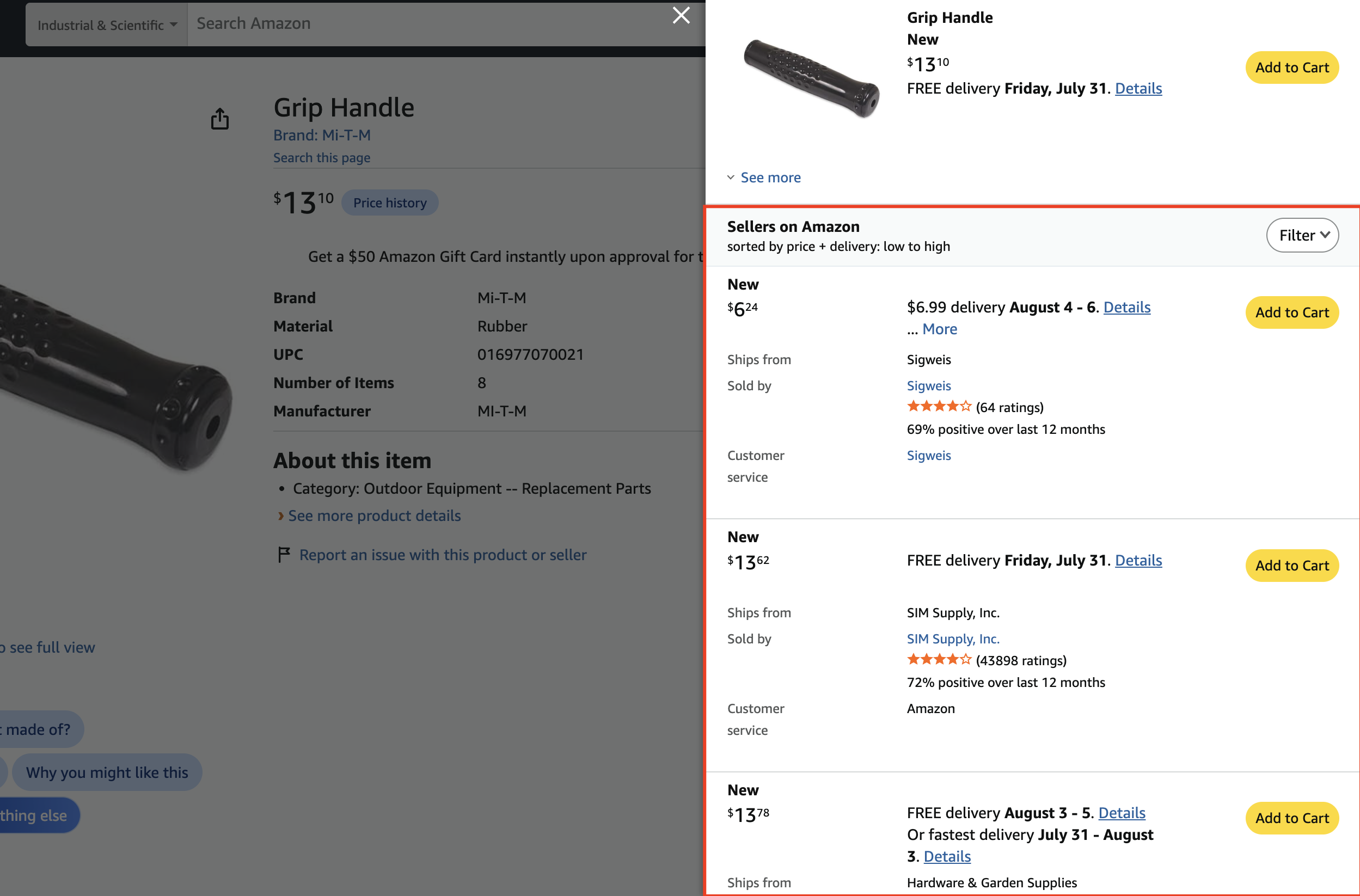
The Buy Box is only one of many available offers for a product.
On every Amazon product page, you can click the Other sellers on Amazon link to view offers from additional sellers.
These offers may have different prices, shipping costs, fulfillment methods, delivery times, or product conditions.
Depending on your selling strategy, one of these offers may be a much better source for your inventory than the current Buy Box winner.
Why Choosing the Correct Offer Matters
If your automation monitors the wrong Amazon offer, your marketplace listings may receive inaccurate price or inventory updates.
This can lead to:
- Incorrect selling prices
- Products becoming unavailable unexpectedly
- Overselling items
- Order cancellations
- Negative customer feedback
- Damage to your marketplace account reputation
Selecting the correct Amazon offer helps ensure your listings stay accurate and your automation behaves exactly as expected.
Advanced Amazon Offer Selection in SKU DRIP
For AMAZONUS, AMAZONUK, and AMAZONAU suppliers, SKU DRIP provides advanced offer selection options.
Simply add one of the following parameters to the end of your supplier product URL:
#skuopt:buybox
Only Buy Box offer

#skuopt:fulfilled
Only offers fulfilled by Amazon

#skuopt:lowestprimefba
Lowest Prime offer excluding 3rd-party sellers

#skuopt:lowestfbanotaddon
Lowest Fulfilled by Amazon offer excluding Add-On items

#skuopt:onlyamazon
Only Amazon retail offer

#skuopt:lowestprime
Lowest Prime offer

#skuopt:usedcondition
Used or refurbished condition offers
These options allow you to control exactly which seller offer SKU DRIP should monitor for price and inventory updates.
When Should You Use Each Option?
Different businesses require different sourcing strategies.
- buybox — monitor the current Buy Box offer.
- fulfilled — use offers fulfilled by Amazon for more reliable shipping.
- onlyamazon — track only products sold directly by Amazon.
- lowestprime — monitor the lowest available Prime offer.
- usedcondition — use used or refurbished offers when appropriate.
Choosing the right option depends on how you source products and how you want your marketplace listings to behave.
Documentation
Detailed information about Amazon supplier options is available in our documentation:
SKU DRIP Documentation – Amazon Supplier Options
Final Thoughts
Monitoring Amazon products is about much more than simply reading the product page.
Choosing the correct seller offer ensures your pricing and inventory data remain accurate, helping you avoid unnecessary losses, cancelled orders, and account performance issues.
With SKU DRIP's advanced Amazon offer selection, you can automatically monitor exactly the offer that matches your business strategy.